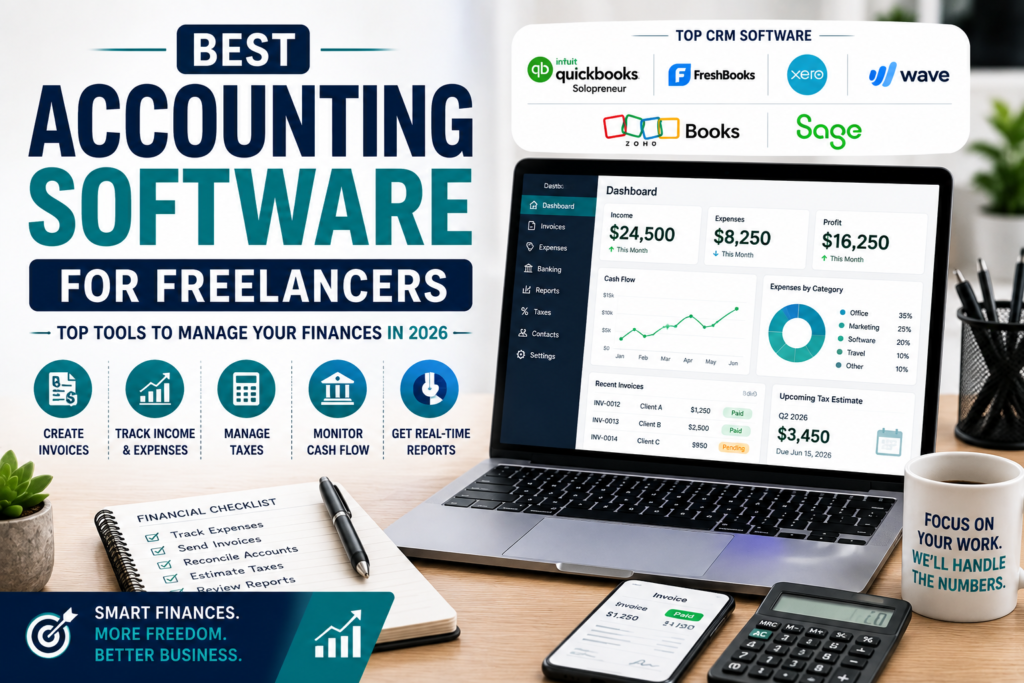
Best Accounting Software for Freelancers Managing your finances is a challenge when you freelance. You have to keep track of how much money you make and spend, send invoices and get ready for tax season. It can get really overwhelming. That’s why picking the accounting software is crucial. It helps you save time, avoid mistakes and keep your cash flow healthy.
As a freelancer, whether you write, design, develop, consult, take photos or do marketing, good accounting software makes a big difference. It helps you with bookkeeping, handling invoices, tracking spending and staying ready for taxes all year. In this guide we will look at the accounting software for freelancers. We will discuss features and pricing and help you pick the best one for your business.
What Is Accounting Software for Freelancers?
Accounting software is a tool that helps you manage your finances in one place. You do not have to use spreadsheets or do calculations. The software automates financial tasks.
Most accounting software platforms let you:
- Create invoices
- Track how much money you make and spend
- Manage bank transactions
- Calculate taxes
- Generate reports
- Monitor cash flow
- Organise receipts
This reduces the work you have to do and lets you focus on your clients.
Why Freelancers Need Accounting Software
As my freelance business started to grow, I found it really hard to manage my finances on my own. That’s when I realised I needed some help. Using accounting software has been a game-changer for me.
Here are the benefits I’ve experienced:
- Saves me a lot of time on bookkeeping
- Reduces mistakes in my accounting
- Makes tax preparation much simpler
- Helps me manage my cash flow
- Allows me to create invoices
- Automatically tracks my business expenses
- Gives me real-time insights into my finances
These benefits have really helped me stay organised and make decisions about my business.
Best Accounting Software for Freelancers
1. QuickBooks Solopreneur
Best For: Freelancers who work independently and self-employed professionals
Key features
- Automatic expense tracking
- Mileage tracking
- Tax estimates
- Creating invoices
- Receipt capture
- Financial reports
Pros
- It’s really easy to use
- The tax tools are excellent
- It integrates well with my bank
Cons
- I have to pay a subscription fee
2. FreshBooks
Best for: This is a choice for people who work as service-based freelancers.
Key features
- FreshBooks has a lot of things like professional invoicing and time tracking
- It also has expense management and project billing.
Pros
- You can even get paid online. See financial reports.
- The good things about FreshBooks are that it looks really nice. It is easy to manage clients.
- They also have customer support.
Cons
- One thing that is not so good is that you can only have a number of users on the lower plans.
3. Xero
Best For: Xero is a choice for freelance businesses that are growing.
Key features
- Xero has a lot of features, like users and bank reconciliation.
- It also has inventory management and expense tracking.
Pros
- You can even integrate payroll. Use a reporting dashboard.
- The good things about Xero are that it has accounting tools and excellent automation.
- Xero is also a platform.
Cons
- One thing that is not so good is that it can take time to learn how to use it.
4. Wave Accounting
Best for: Wave Accounting is a choice for freelancers who do not have a lot of money to spend.
Key features
- Wave Accounting has a lot of features like accounting and unlimited invoicing.
- It also has expense tracking and receipt scanning.
- You can even see reports.
Pros
- The good things about Wave Accounting are that the core features are free and it is easy to set up.
- Wave Accounting is also great for people who are just starting out.
Cons
- One thing that is not so good is that it does not have a lot of automation.
5. Zoho Books
Best For: Freelancers who already use Zoho apps
Key Features
- Client portal
- Automated workflows
- Expense management
- Tax compliance
- Bank feeds
- Mobile app
Pros
- It is affordable
- Automation works well
- Integrates, with other Zoho apps
Cons
- Some advanced features cost
6. Sage Accounting
Best For: Freelancers who need finance tools
Key Features
- Cash flow forecasting
- VAT management
- Invoice automation
- Expense tracking
- Financial reporting
Pros
- Reporting is reliable
- Invoicing is easy
- Compliance features are
Cons
- It does not integrate with third-party apps
Key Features to Look For
When you are trying to find the accounting software for freelancers, you should think about these things. The best accounting software for freelancers should have some features.
Professional Invoicing
You can make your invoices with the accounting software for freelancers that include things like
- Business branding
- Payment terms
- Due dates
- payment links
- Automatic reminders
This way you can make invoices that look like they are from your own business.
Expense Tracking
This means it can automatically put expenses into groups such as
- Office supplies
- Software subscriptions
- Travel
- Equipment
- Internet services
This makes it easier to keep track of your money and do your taxes.
Bank Integration
- The accounting software for freelancers should be able to connect to your bank account directly.
- This means it can automatically import transactions so you do not have to enter them by hand.
Tax Management
The accounting software for freelancers should be able to help you with things like
- Tax estimates
- Sales tax tracking
- VAT calculations
- Year-end reports
This can make it less stressful when you are doing your taxes.
Financial Reporting
This means it can give you reports like
- Profit and loss statement
- Balance sheet
- Cash flow reports
- Expense summary
- Tax reports
These reports can help you see how your business is doing.
Mobile Accessibility
This means you can use it on your phone to
- Send invoices
- Capture receipts
- Track mileage
- Monitor your finances when you are not at your desk.
This is very useful for freelancers who’re always on the go.
How to Choose the Right Accounting Software
Before you subscribe, think about these things.
Budget
- Pick software that gives you the features you need at a price you can afford.
- The best software is one that balances features and cost.
Business Size
- If you are a freelancer, you might only need invoicing
- If your business is growing, you will want advanced reporting and automation.
Ease of Use
- A simple interface helps you learn fast and work efficiently.
Integration
Make sure the software works with:
- Payment processors
- Bank accounts
- CRM systems
- Project management tools
Customer Support
- You need customer service when you have questions about money.
- They should be able to help you.
Benefits of Accounting Software
- Freelancers who use accounting software usually get a lot of things. They get their invoices paid faster. They also get to know how their money is doing accurately. It is easier for them to see how much cash they have. When it is time to do their taxes, it is a lot simpler. They do not have to spend much time doing their books. This means they can get work done. They can also plan their business better.
- When freelancers use automation, they can spend time making money instead of dealing with paperwork. This is a help to them.
Common Mistakes Freelancers Should Avoid
Mixing business expenses is a bad idea.
- Ignoring receipt management is not good
- Delaying invoice creation is a mistake
- Failing to reconcile bank accounts is something to avoid
- Not tracking expenses is not smart
- Waiting until tax season to organise records is a plan
Frequently Asked Questions
What is the best accounting software for freelancers?
There are a lot of options to choose from, like QuickBooks Solopreneur, FreshBooks, Xero, Wave Accounting, Zoho Books and Sage Accounting. The best one for you depends on how much money you want to spend, how big your business is and what features you need.
Is free accounting software any good for freelancers?
Yes, it is. Wave Accounting is free. It has all the basic features that most new freelancers need. This is really helpful for people who are just starting out on their own.
Can accounting software help you with your taxes?
Yes, it can. Most accounting software will keep track of how much money you make and how much you spend, and it will even give you reports to help with your taxes. It will also try to figure out how much tax you owe and make it easier to file your taxes at the end of the year.
Do freelancers really need accounting software?
You do not have to have it. It is a really good idea. Accounting software will save you time. Help you avoid making mistakes. It will also help you keep track of your money and make sure you are doing everything you need to do for your taxes. This way you can stay organised and follow all the rules.
Conclusion
Getting the accounting software for freelancers is a good idea. It can save you time. Help you keep track of your money better. You will also feel less stressed about dealing with your business finances. You might like QuickBooks Solopreneur because it has tax tools. Maybe you like FreshBooks because it is good for sending invoices. Some people like Xero because it can grow with their business. Then there is Wave Accounting, which is free.
The point is that the right accounting software will help you stay organised. This means you can focus on making your freelance business better. Before you choose an accounting software look at what it can do. How much it costs. See if it works well with tools you use and if it is easy to use.If you have the accounting software, you will not have to spend as much time on paperwork. You can spend time doing what you are good, at. Working with clients and making your freelance business successful.